
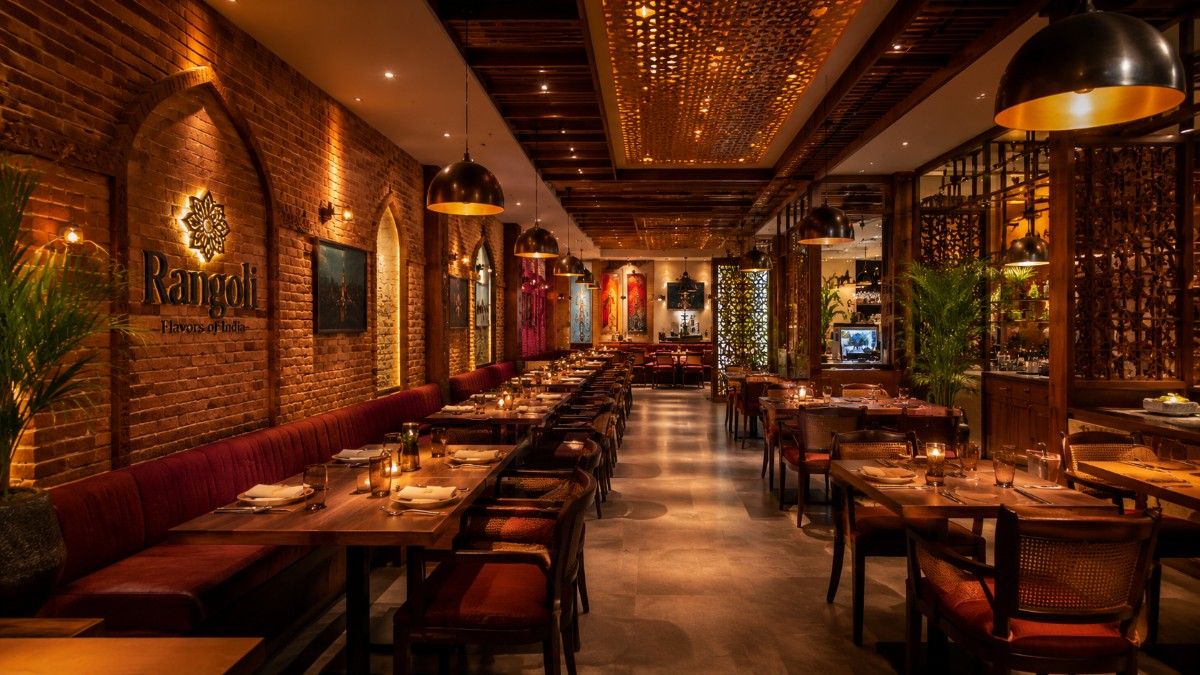
Restaurant POS & Billing Software Development in Bhubaneswar
We build custom restaurant POS and billing software that handles table management, kitchen order tickets (KOT), split billing, digital menu management, waiter mobile apps and multi-outlet centralised dashboards — engineered for how Indian restaurants operate. Built by Swadhin IT Solutions, Bhubaneswar.
Leading Restaurant POS & Billing Software Company in Bhubaneswar
Swadhin IT Solutions builds restaurant POS software that Indian restaurant owners rely on during every service hour. We have delivered billing and order management systems for single-unit family dhabas, multi-cuisine fine-dining restaurants and QSR chains with 100+ outlets across India.
Our restaurant POS is not a generic retail billing tool forced onto a restaurant — it is built from the ground up around how Indian restaurants operate: walk-in dine-in plus takeaway, GST-compliant food billing, KOT routing to multiple kitchen sections, waiter order-taking on mobile and peak-hour rush handling.
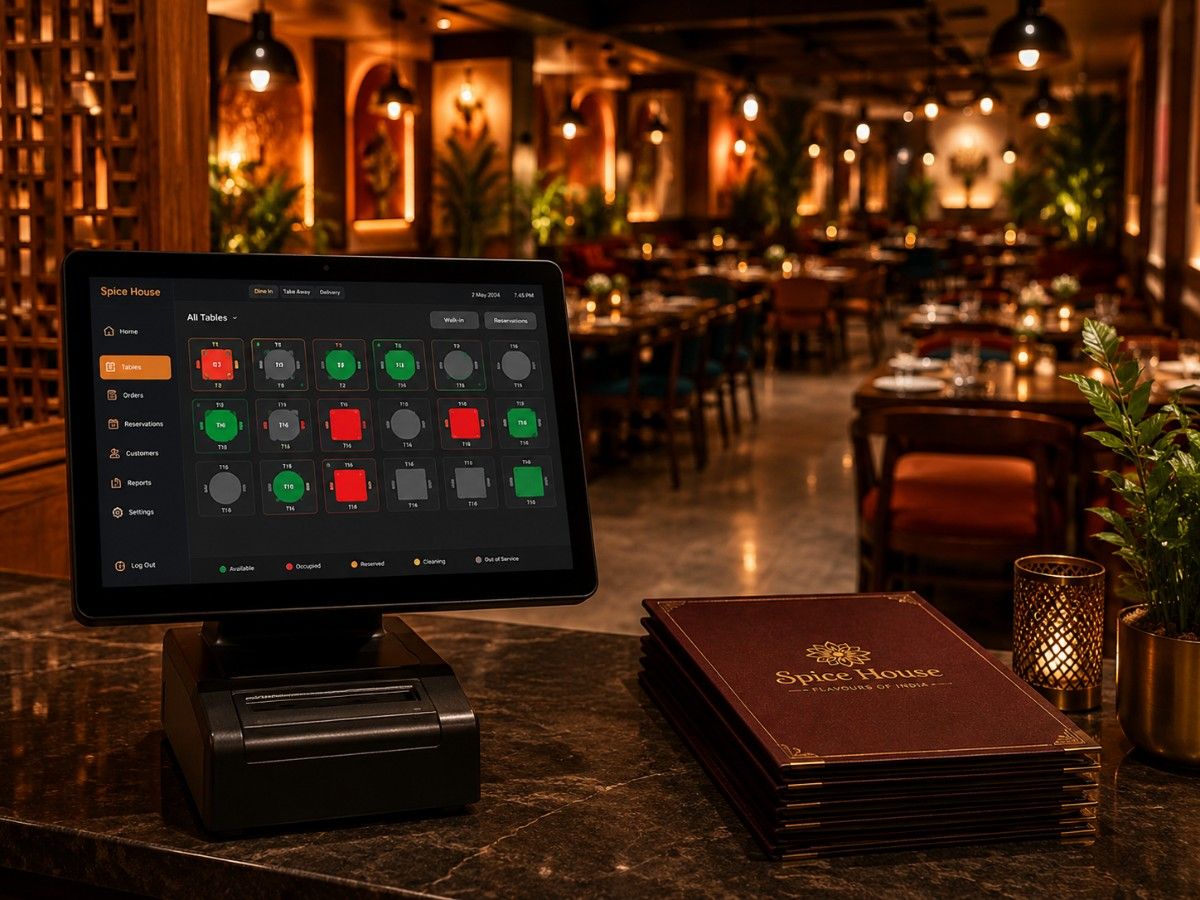
- Interactive table layout management
- Kitchen order ticket (KOT) printing
- Split & merge billing
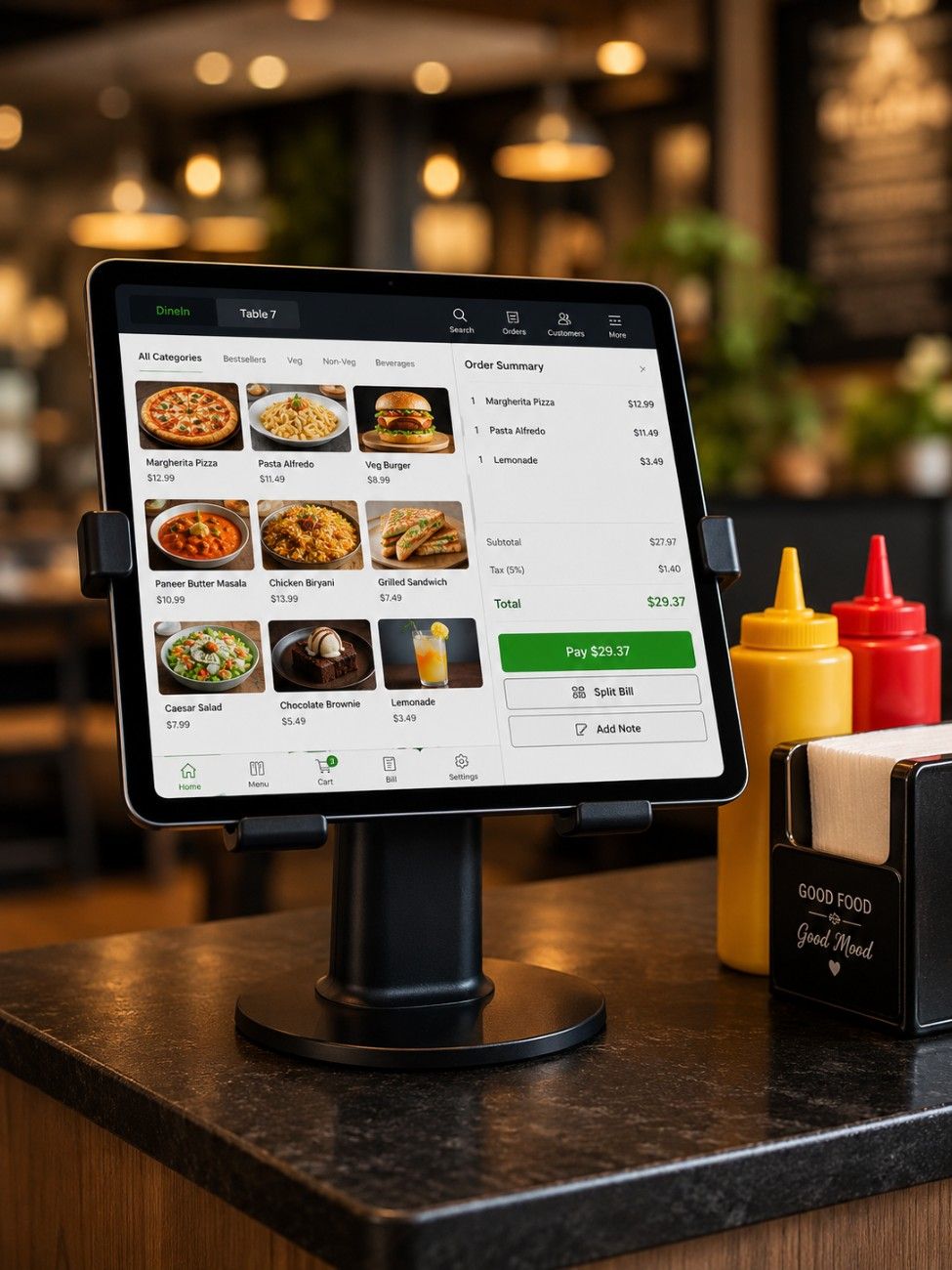
- Digital menu with variants
- Waiter mobile order app
- Multi-outlet dashboard
- Swiggy/Zomato order integration
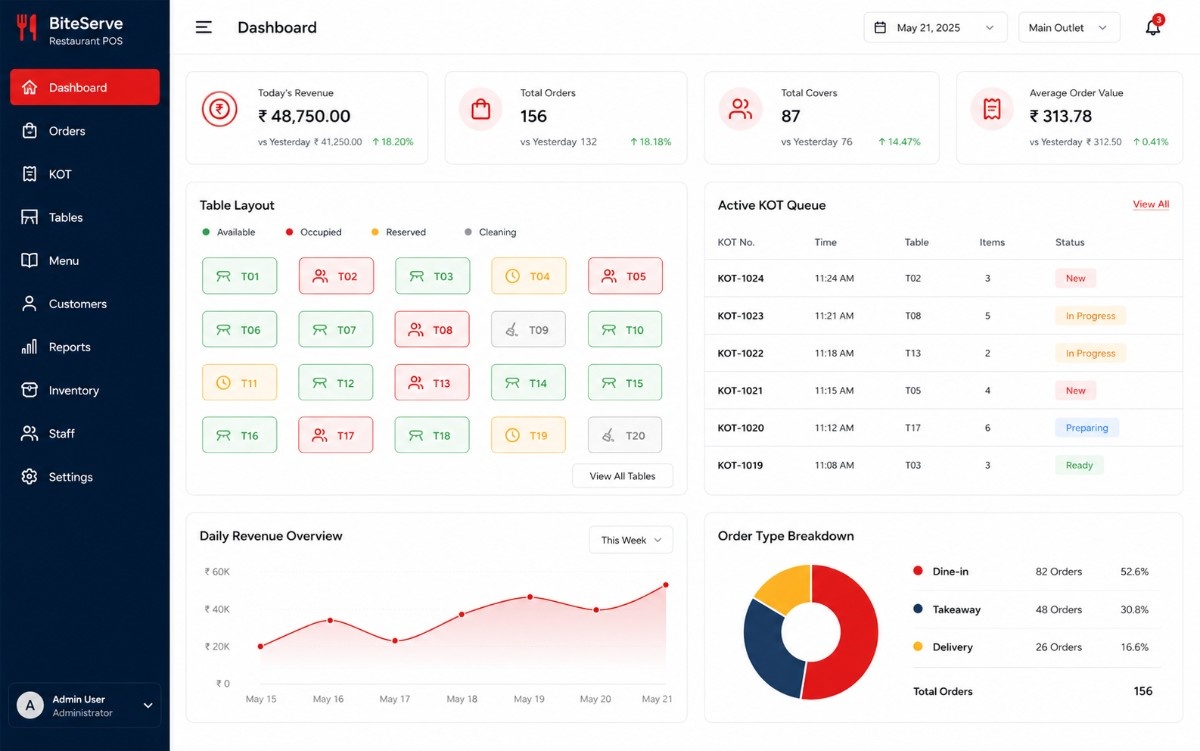
- Daily revenue analytics
Restaurant POS Features That Speed Up Service and Boost Revenue
Every feature is designed for the pace of Indian restaurant operations — handling dine-in, takeaway, online orders and bar billing simultaneously.
Table Management
Visual floor plan showing real-time table status — vacant, occupied, reserved, bill-pending. Drag-and-drop table merging for large parties. Colour-coded time alerts flag tables occupied beyond threshold. Supports multiple floors and outdoor seating zones.
KOT (Kitchen Order Ticket)
Orders route automatically to the correct kitchen section — main kitchen, tandoor, bar, dessert counter. KOT prints with item modifiers (no onion, extra spicy). Real-time order status updates from kitchen to waiter app. Reprint, cancel and modify KOTs with manager authorisation.
Split & Merge Billing
Split bills by item, by seat, by equal share or by custom amount — all within three taps. Merge multiple tables into a single bill for group dining. Separate GST invoices per split. Supports cash, UPI, card and mixed-mode payments on a single bill.
Menu Management
Unlimited categories, sub-categories and variants (size, crust, toppings). Upload food images, set availability by day or time slot, mark items as veg/non-veg/egg, define combo meals and apply dynamic pricing for happy hours. QR-code digital menu for customer self-ordering.
Waiter Mobile App
Waiters take orders on Android tablets or smartphones — browse the visual menu, add item modifiers, send KOT directly to kitchen. Real-time table assignment, order status notifications and tip recording. Works offline with auto-sync when connection restores.
Multi-Outlet Dashboard
Centralised owner dashboard comparing revenue, footfall, average order value and food cost across all outlets. Real-time alerts for low stock, voided orders and cash discrepancies. Consolidated GST reports and P&L statements across locations. Mobile app for owners on the go.
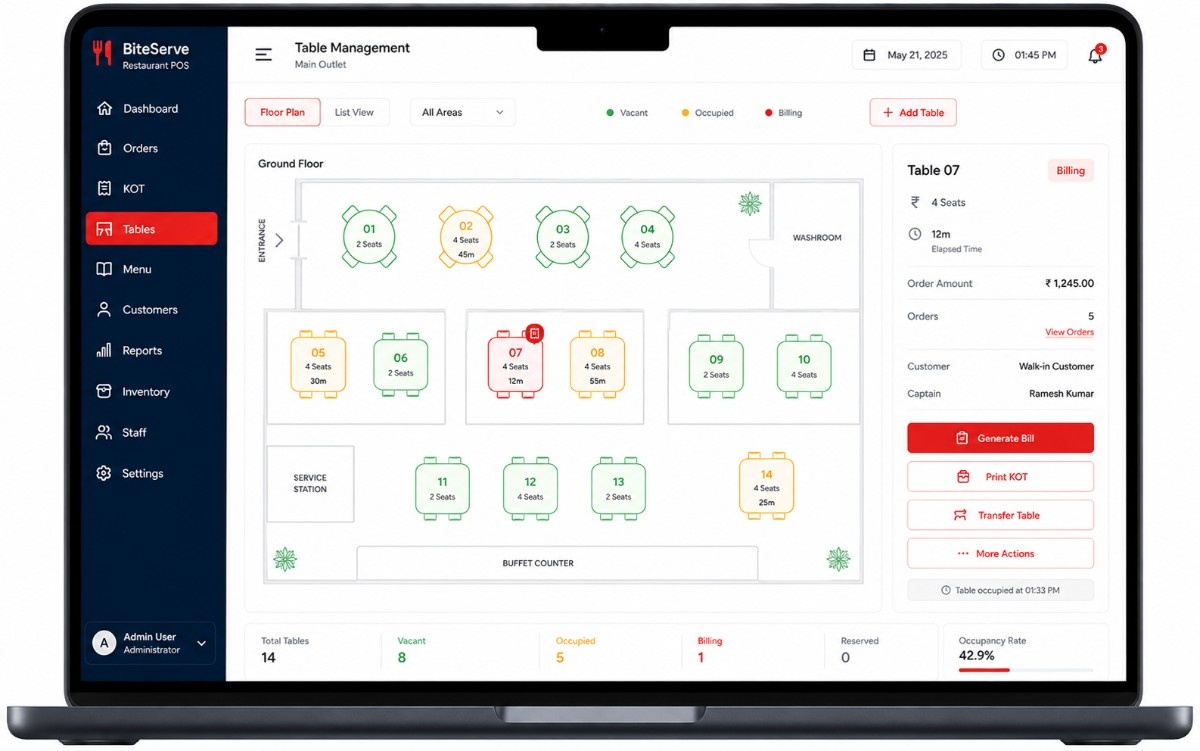
Visual Floor Plan That Keeps Every Table Profitable
Our table management module gives your host and waiters a bird’s-eye view of the entire restaurant floor. Each table shows its current status — vacant (green), occupied with time elapsed (amber/red), reserved with guest name, or bill-generated awaiting payment. Drag-and-drop lets you merge or split tables in seconds for large groups.
Average table turnover improves by 25% when staff can see at a glance which tables are lingering and which are ready for the next cover. Reservation conflicts disappear with automated time-slot blocking and WhatsApp confirmation to guests.
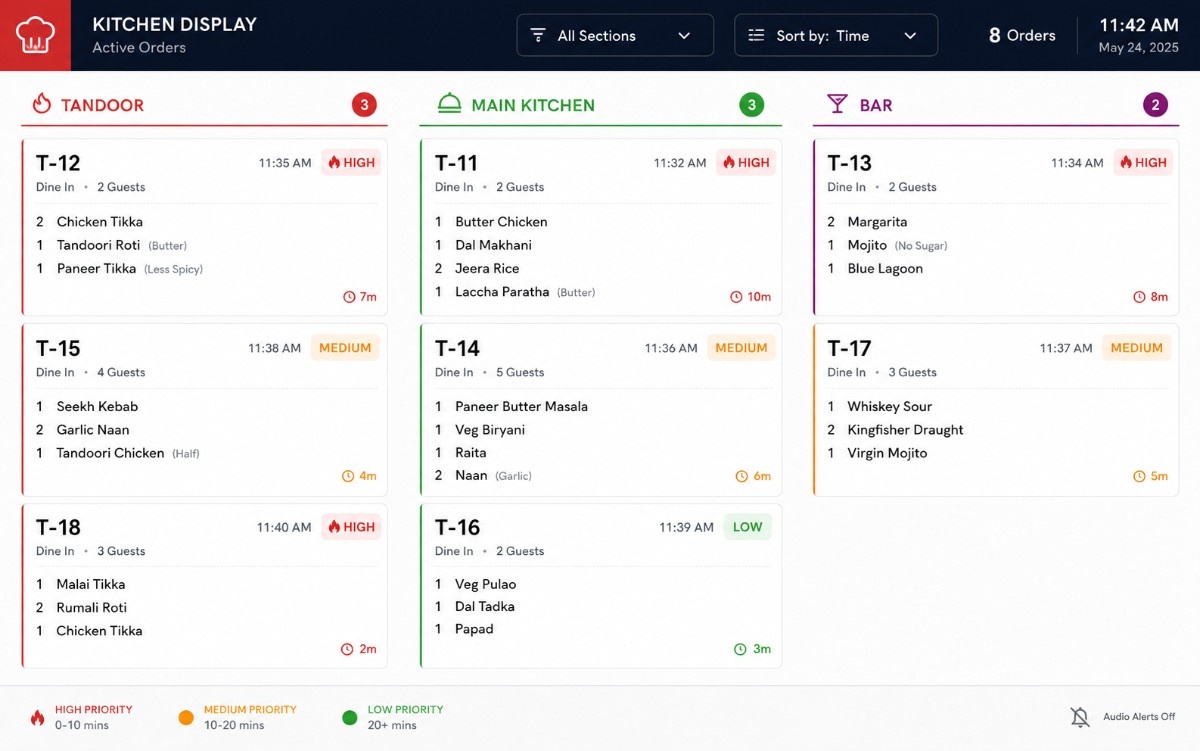
Orders Reach the Kitchen in Under 5 Seconds
The moment a waiter confirms an order on the mobile app, the KOT prints at the correct kitchen station — tandoor items to the tandoor printer, bar orders to the bar printer, starters and mains to their respective sections. No more handwritten chits lost in the rush.
Kitchen display screens (KDS) show order queue, preparation time and priority markers. Chefs tap to acknowledge, mark items as preparing, and flag ready — the waiter app updates instantly so food reaches the table hot. Average order-to-serve time drops by 35%.
How We Build Your Restaurant POS — 6 Steps
From studying your restaurant workflow to going live on a busy Friday night — here is our proven delivery process.
Restaurant Visit & Operations Study
We visit during peak hours, observe order flow, map kitchen sections and document every bottleneck
Menu & Floor Plan Setup
Digitise your entire menu with variants, upload your floor layout and configure KOT routing rules
Core POS Development
Table management, billing, KOT, waiter app and kitchen display built around your specific workflow
Integration & Testing
Payment gateways, Swiggy/Zomato APIs, GST e-invoicing, printer setup and full load testing
Staff Training & Soft Launch
Hands-on training for cashiers, waiters and kitchen staff. Parallel run with existing system for 1 week
Go-Live Support & Updates
On-site support during first weekend rush. 3-12 months free maintenance and feature updates included
Custom Restaurant POS vs Petpooja vs Generic Billing — Which Fits Best?
See how a custom SITS restaurant POS stacks up against off-the-shelf alternatives.
| Feature | Custom (SITS) | Petpooja / POSist | Generic Billing |
|---|---|---|---|
| Visual table management with floor plan | ✓ Drag-and-drop | ~ Basic grid | ✗ Not available |
| Multi-section KOT routing | ✓ Auto-routed | ~ Manual selection | ✗ Single printer |
| Split billing (item/seat/custom) | ✓ All modes | ~ Equal split only | ✗ Not supported |
| Waiter mobile order-taking app | ✓ Offline-ready | ~ Extra cost | ✗ Counter only |
| Swiggy/Zomato order integration | ✓ Auto-accept | ✓ Built-in | ✗ Manual entry |
| UPI / PhonePe / GPay integration | ✓ All Indian gateways | ~ Selected gateways | ~ Razorpay only |
| Source code ownership | ✓ 100% yours | ✗ SaaS subscription | ✗ Licensed |
Every Restaurant Is Different — Get a Custom Quote
We do not believe in one-size-fits-all pricing. Your restaurant POS cost depends on the number of outlets, seating capacity, kitchen sections, integrations required and your specific order flow. Call us for a free consultation and transparent, fixed-price quote with no hidden charges.
Restaurant POS Projects We Have Delivered
Real POS and billing systems built for real Indian restaurants — from single-unit outlets to 100+ location chains.
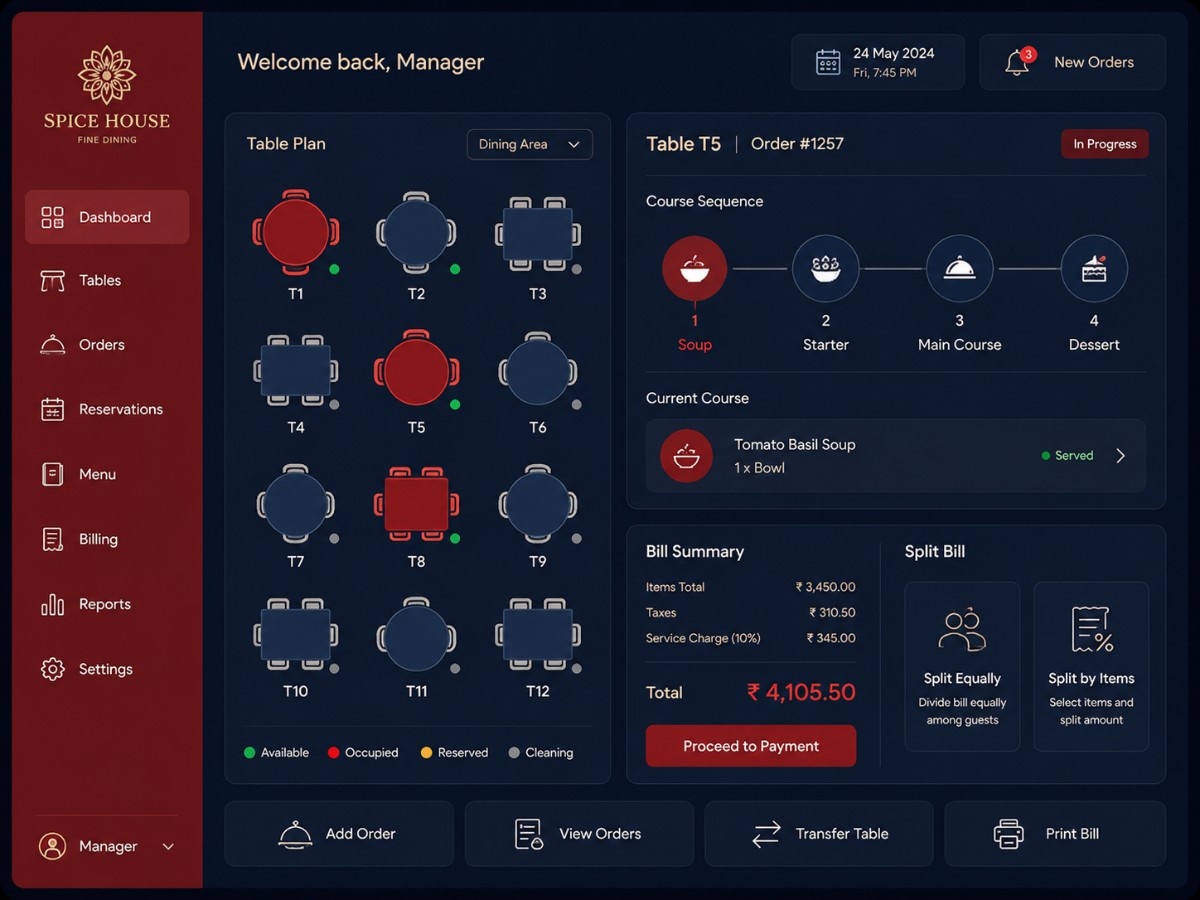 Fine Dining
Fine Dining POS System
Table management with visual floor plan, course-wise KOT sequencing, wine pairing suggestions and split billing for a 120-cover fine dining restaurant. Processes 300+ covers nightly.
Premium
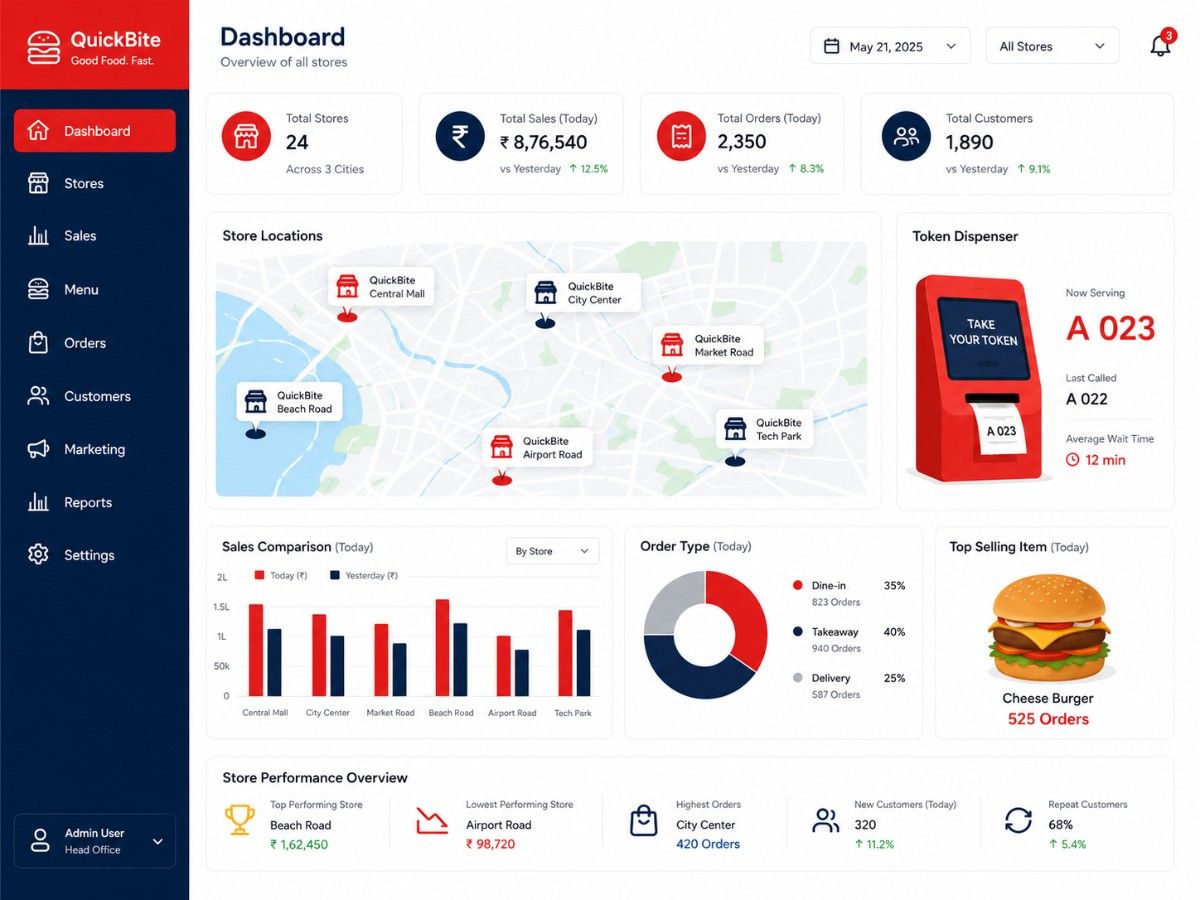 QSR
QSRQSR Chain — 50 Outlets
Centralised menu management, token-based ordering, Swiggy/Zomato integration and real-time outlet comparison dashboard for a quick-service restaurant chain across 12 cities.
Multi-City
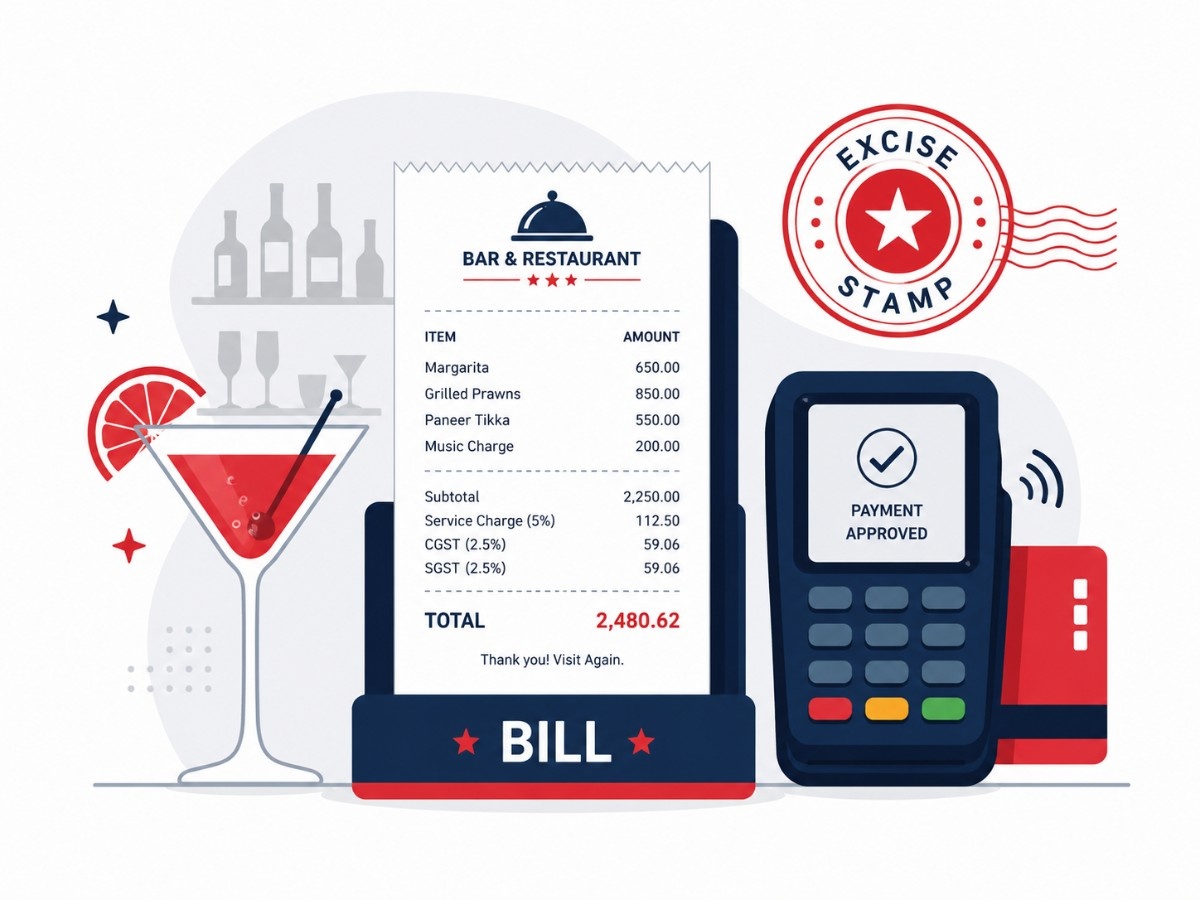 Bar & Grill
Bar & Restaurant Billing
Separate bar and kitchen KOT, excise-compliant liquor billing, happy-hour dynamic pricing and tab management. Handles 500+ bills on weekend nights with zero downtime.
Compliance
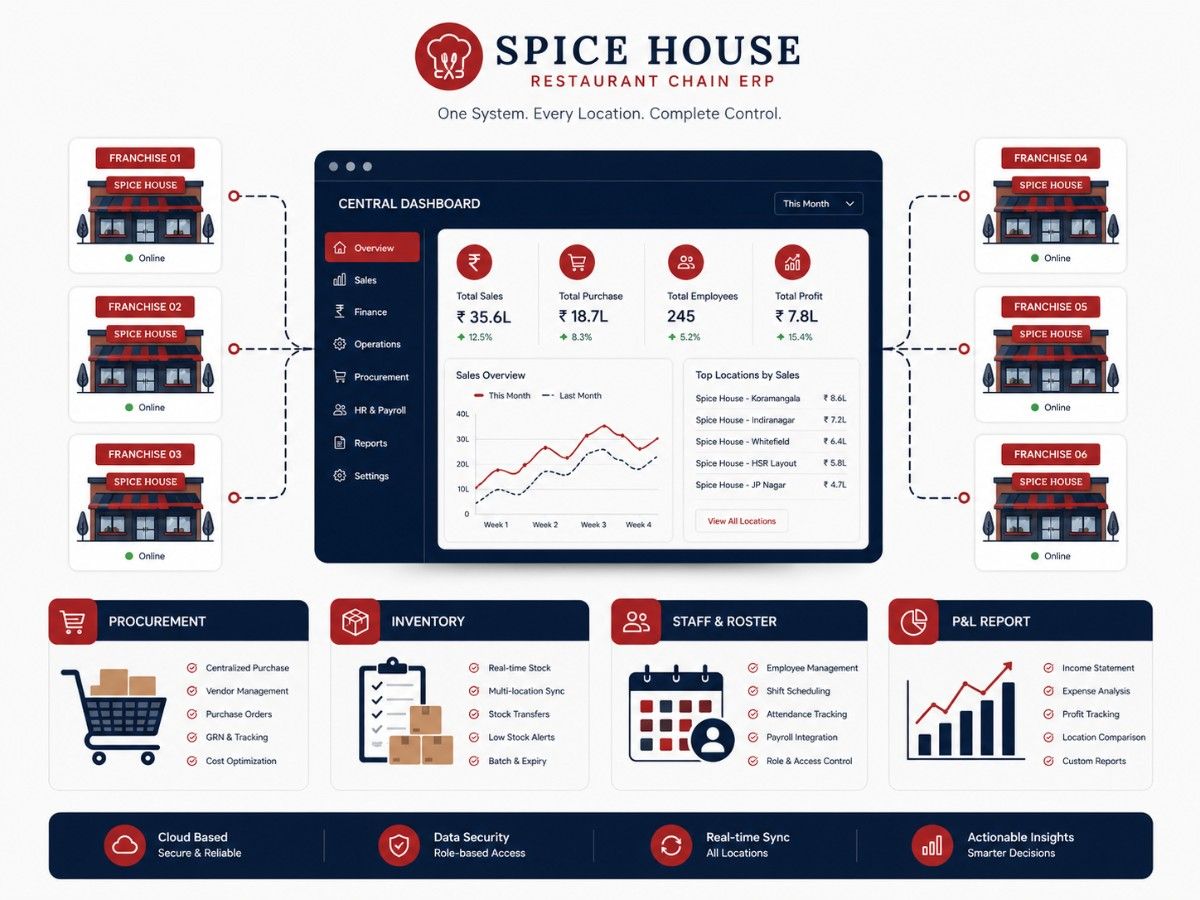 Enterprise
Restaurant Chain ERP
Centralised procurement, recipe standardisation, franchise royalty tracking, outlet-wise P&L, staff scheduling and owner mobile dashboard for a 25-outlet restaurant group.
Franchise
SITS delivered our restaurant POS exactly the way our kitchen operates. The KOT routing alone saved us 20 minutes every service hour because orders go directly to the right station. Split billing used to cause arguments at the counter — now guests settle in three taps. Our table turnover improved noticeably, and the owner dashboard means I can check all three outlets from my phone without visiting each one.
Frequently Asked Questions — Restaurant POS & Billing Software
Common questions from restaurant owners about our POS software development services.
How much does restaurant POS software cost in India?
Can the POS handle dine-in, takeaway and online orders together?
Does the KOT system support multiple kitchen sections?
How does split billing work for group dining?
Can waiters take orders on their mobile phones?
How long does it take to build a restaurant POS system?
Does the system integrate with Swiggy and Zomato?
Is SITS based in Bhubaneswar? Can you serve restaurants across India?
Start Your Restaurant POS Project Today
Get a free consultation and fixed-price quote from the best restaurant POS development company in India. No obligation, no hidden charges.
Free Restaurant POS Consultation
Tell us about your restaurant. Our team responds within 4 hours with a tailored solution approach and transparent quote.
Contact Information
Bhubaneswar, Odisha 751003